Before you start · Must-read

3 Steps to Make the AI Truly Get You

PoLang's smart search and AI chat rely on on-device models and a one-time gallery scan. Finish the steps below so the app can actually understand you.

📦 It all starts in Settings

Model downloads, scan controls, account, people, and remote channels all live in the app's Settings. Each step below points you to the right screen.

Settings overview
1Download required models

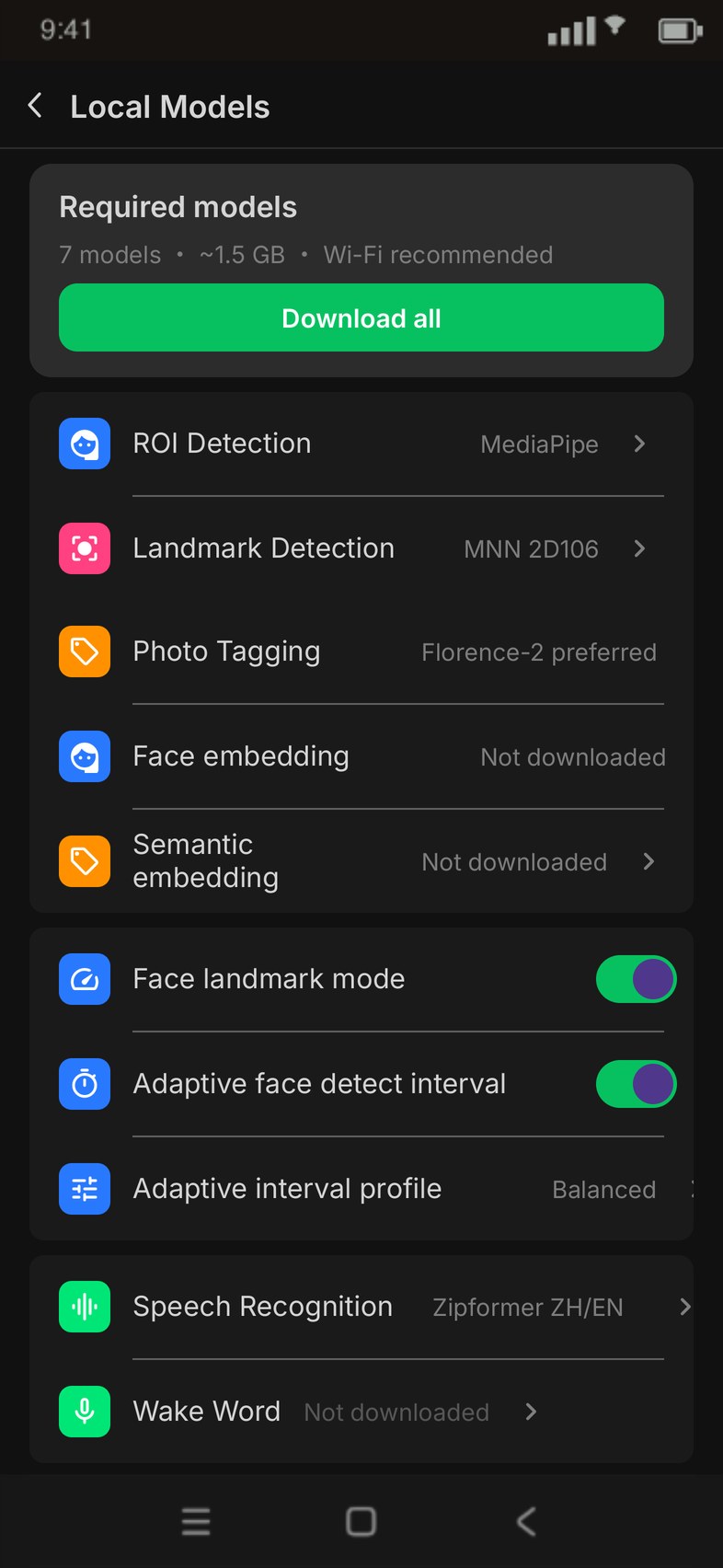
Tagging, face recognition, and semantic search all rely on on-device AI models. Go to Model Center → Required and download them all (7 models, ~1.5 GB). The Recommended models (local chat, matting, voice) are optional.

Required≈ 1.5 GBWi-Fi recommended
Model Center · Required models
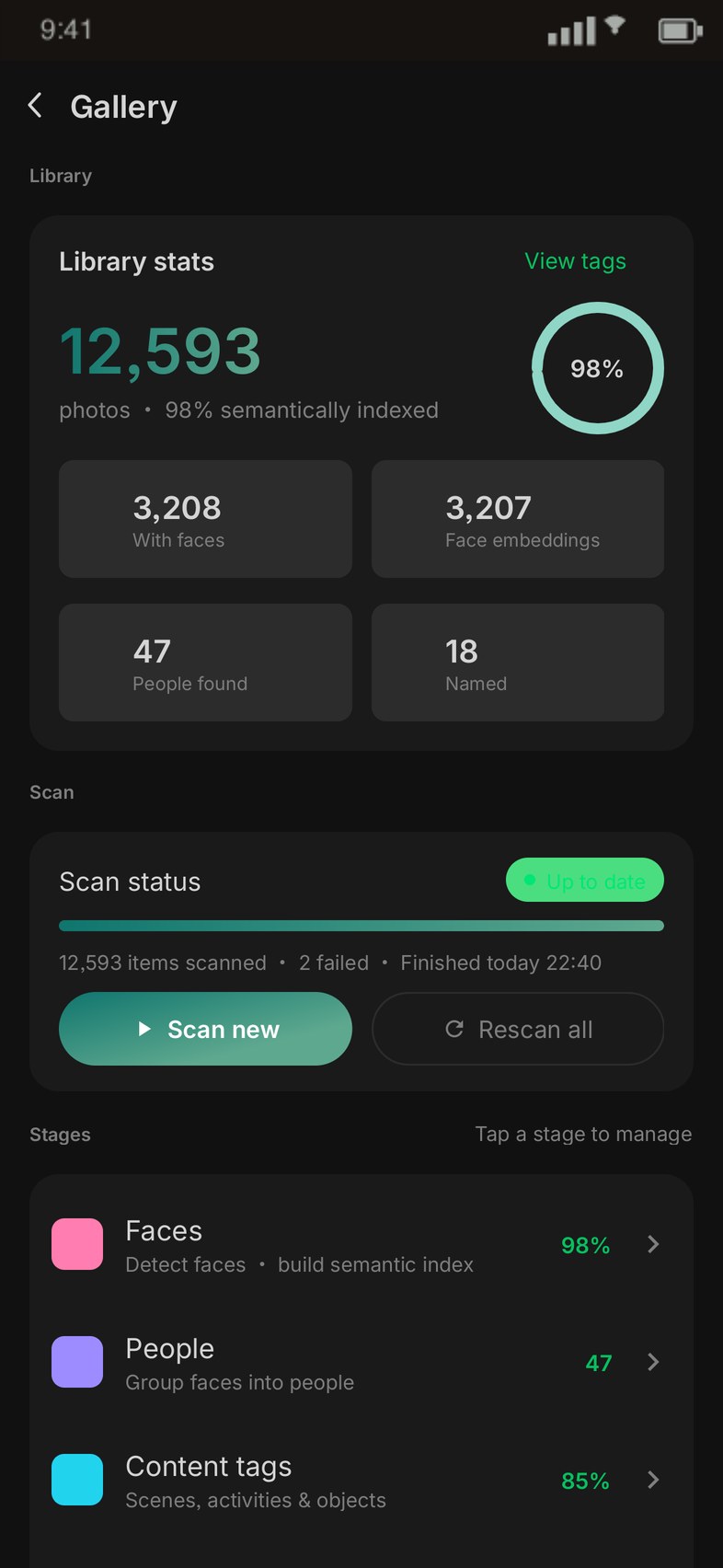
TAG Generation · scanning
2Run a Pass 1 scan

Let the app learn the people and scenes in your gallery. Go to TAG Generation and start scanning (face detection + semantic encoding, ~1.5h / 10k photos). Remember to enable background activity when prompted, or it may be paused in the background.

Required~1.5h / 10k
3(Optional) Understand image content

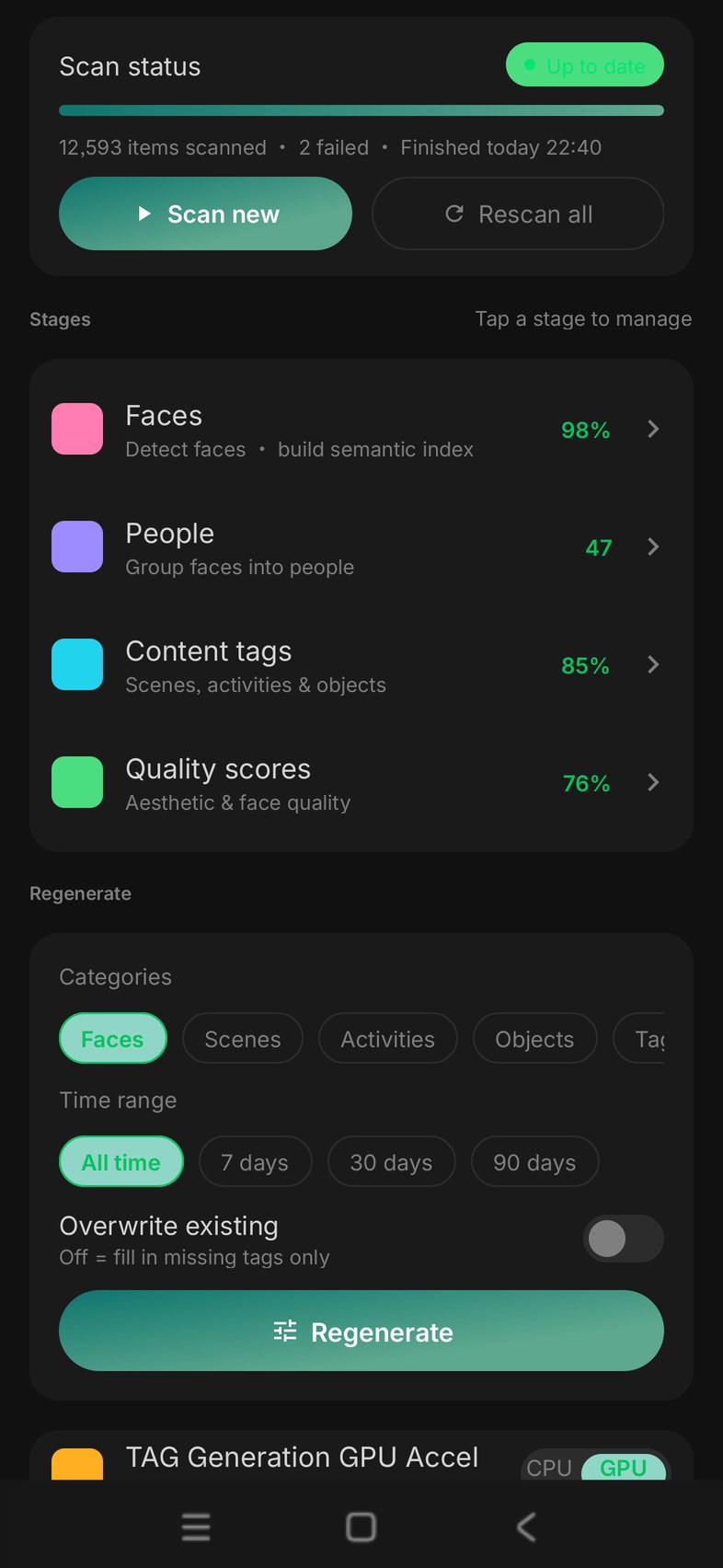
Want searches like "beach", "night scene", or "family picnic" to be sharper? Run Image Understanding to generate scene, object, and activity tags for every photo. ~24h / 10k, best overnight while charging. Pause anytime — already-processed photos won't repeat.

Optional~24h / 10k
TAG Generation · 3-stage overview
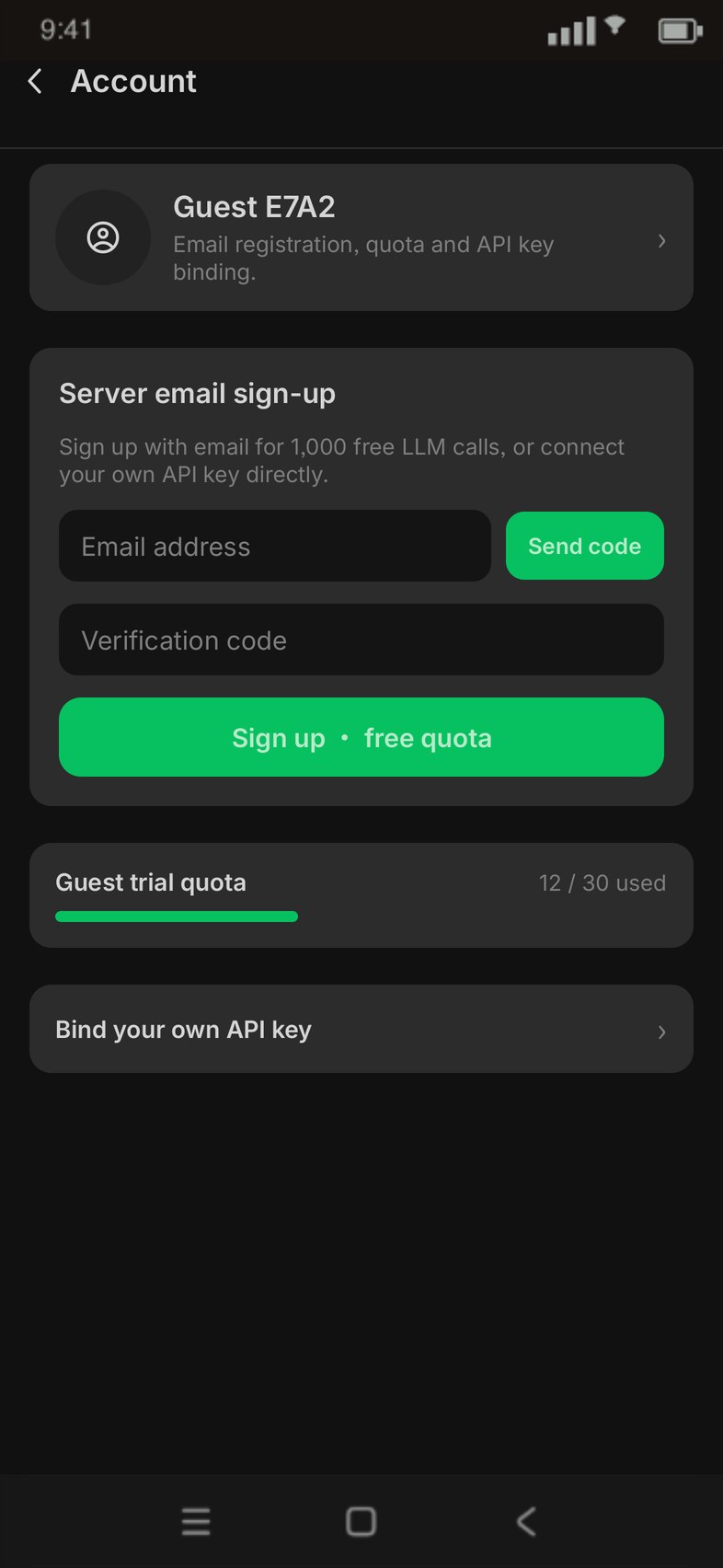
Account · free quota
4Sign up for quota

AI chat defaults to a remote model for the best experience. Sign in with email for a higher free quota (guests get less). When it runs out you'll see a notice, or switch to the local model to chat offline.

Remote chatFree quota
5Teach AI your people

After scanning, people are detected automatically. Name each person and set relationships (family / friends / colleagues…), then add facts in AI Memory — PoLang gets smarter in every conversation.

Smarter AIPeople & relationships
Edit person · name & relationship
Channels · Feishu / Telegram
6(Optional) Remote control

Connect Feishu / Telegram to drive your gallery from IM (e.g. "send me yesterday's landscapes") — results come right back to the chat. Telegram uses long-polling, no public IP needed.

AdvancedFeishu / Telegram

Once You're Set Up

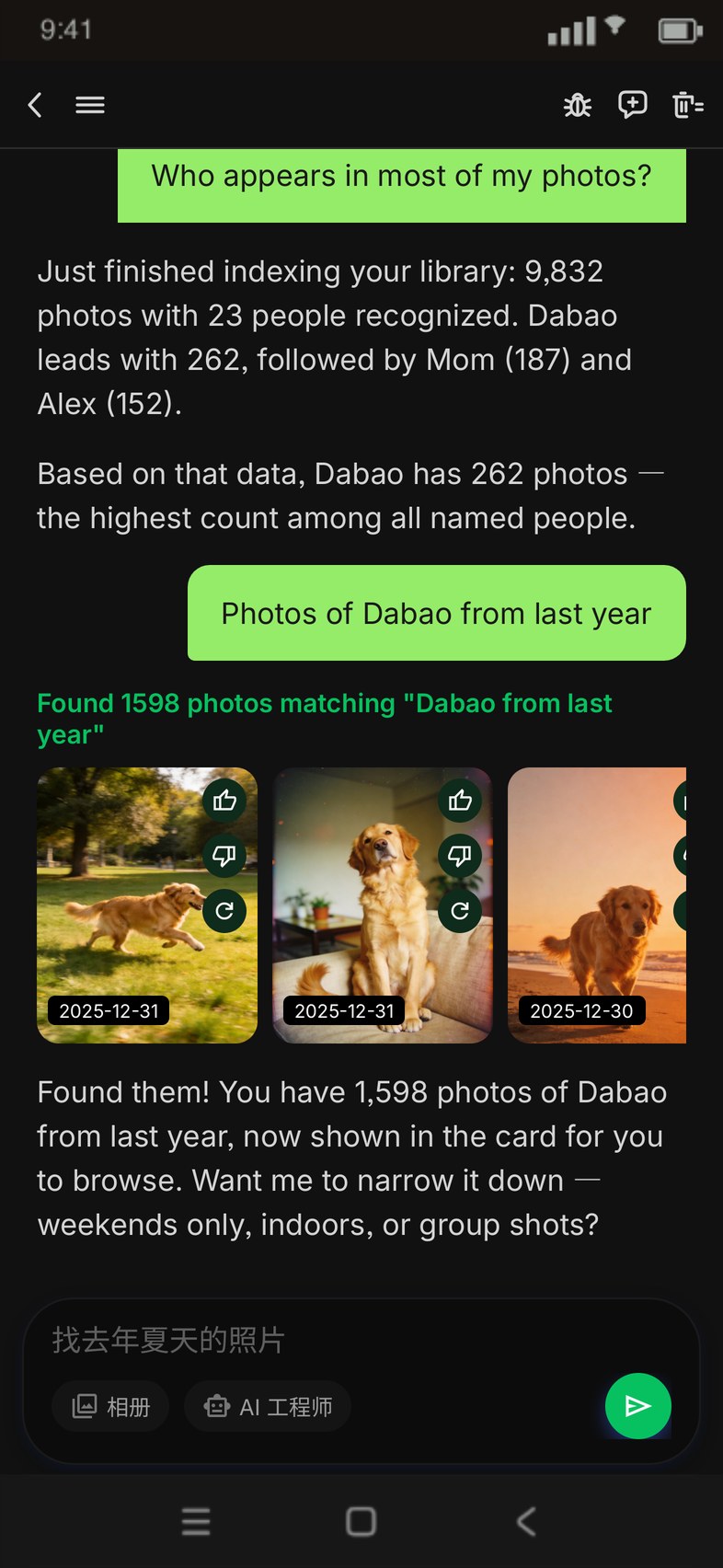
Just say something to the AI

"Find last summer's beach photos"

🗂️ Matching photos, grouped smartly by time — all search, face, and scene recognition happens on-device; photos are never uploaded.

AI assistant · natural-language search

Get Started

Free · No ads · On-device privacy